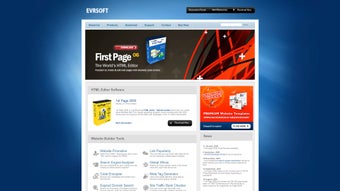
Evrsoft First Page 2006: Windows HTML editor with legacy tools
Evrsoft First Page 2006, from EVRSOFT, is a Windows HTML editor for authoring, editing, and deploying websites. It combines visual Design View and a source editor to handle page layout and raw code, while offering selectable interface skill levels. The package targets students, hobbyists, and professional webmasters and small teams who need a lightweight desktop environment with both visual authoring and direct source control for legacy web technologies on desktop systems.
What programming languages does First Page support?
First Page supports a broad set of server and client languages as they existed at release: HTML, XHTML, PHP, ASP, Cold Fusion, JavaScript, CSS, SSI, and Perl. The editor includes an iScripts library with over 1,500 ready-made JavaScript and DHTML snippets, plus several page designers such as an Image Mapper, CSS Style Sheet Designer, and Scrollbar Designer. The Photo Album Gallery Generator automates gallery pages for basic image collections.
How does First Page fit different skill levels and workflows?
The editor provides tools for project maintenance and deployment useful across skill sets: Asset Management and SiteTree organize local files and check link integrity, while the built-in FTP client uploads site files directly from the project. These functions support routine site maintenance and small-team collaboration without external tools. The integrated link checking in SiteTree helps spot broken references before publish, a convenience for ongoing site upkeep.
Does First Page handle larger projects and modern systems?
The tool is lightweight and runs responsively on modest desktop hardware, a trait often cited by users who prefer compact editors. EVRSOFT released it as freeware, and the application can operate on older Windows builds officially, with compatibility settings enabling use on newer desktop systems. Because the project is no longer actively developed, expect gaps when targeting contemporary web stacks and modern browser rendering behaviors.
What maintenance and security considerations should IT teams note?
The editor includes a Tidy HTML engine that performs automated code cleaning and error checking, which helps enforce consistent markup before deployment. Because the product receives no major updates, teams should treat the application as a maintenance tool rather than a security-hardened platform for new releases. For environments requiring up-to-date protocol support or dependency scanning, choose an actively maintained editor; use First Page for controlled, legacy-site workspaces instead.
Practical for legacy maintenance, unsuited for new-standard projects
First Page is a pragmatic option for developers maintaining older Windows-based sites who need a compact desktop editor and direct file deployment. Its age and lack of ongoing development limit suitability for contemporary production work that depends on modern standards and active security updates. Reserve the tool for maintaining legacy codebases or instructional use rather than as a primary editor for new applications.